Workflow automation without a third party
Our automation studio moves work between your studios on hardware you own. No data sent to a middleman, every step on the Open Audit Record.
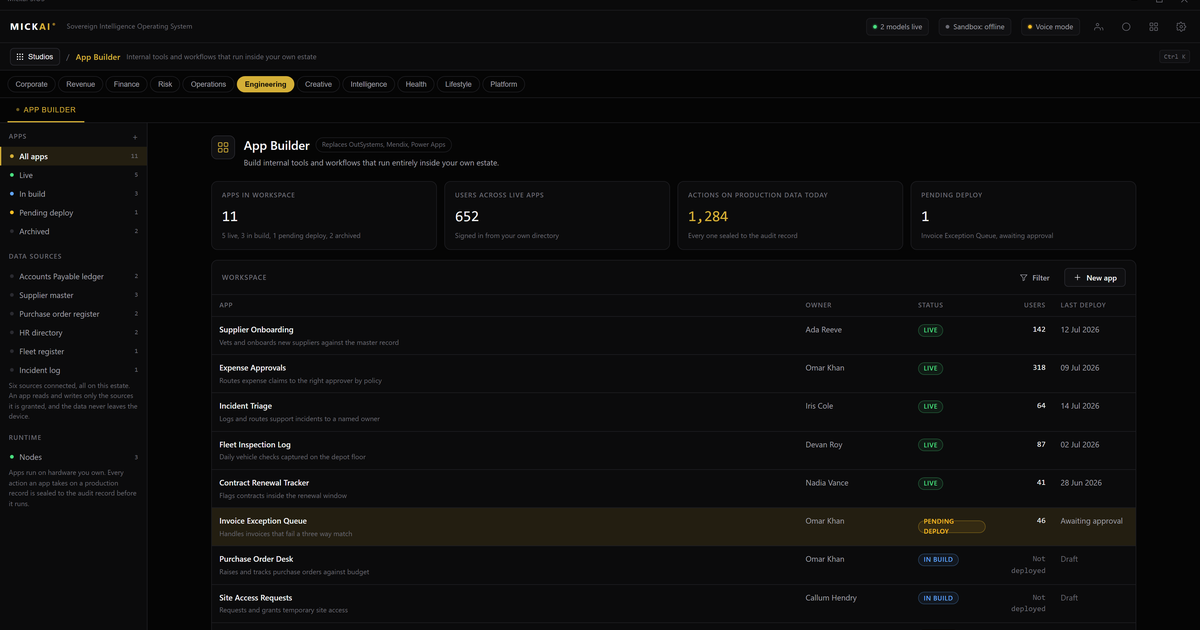
Our automation studio moves work between your studios on hardware you own, with no data sent to a middleman. A trigger in one studio fires an action in another, and because they all sit on the MICKAI sovereign operating system, nothing leaves your building for the automation to run. Zapier and Power Automate do the same job by passing your triggers and data through their own cloud. We do it inside your network.
That is the difference. A cloud broker sits between your tools and rents you the connection, holding a copy of what flows through it. Our studio is the connection, and it belongs to you.
What the studio does
The automation studio gives you what teams expect from a workflow tool. Triggers that watch for an event: a new record, an inbound email, a meeting booked, a file added, a form filled. Actions that respond: create a task, update a record, send a message, file a document, notify a person. Conditions and branches so a workflow can decide. Scheduled runs for anything that needs to happen on a clock. Multi step flows so one trigger can set off a chain of work.
The part that matters is where those triggers and actions point. They point at your own studios. The new record is in your CRM. The inbound email is in your email system. The meeting is in your meetings platform. The document lands in your own storage. There is no outside account on either end of the automation.
Why the middleman is the problem
Zapier and Power Automate exist because most companies run a scatter of separate cloud tools that do not talk to each other. The broker bridges them. To do that, your data has to travel through the broker.
Think about what that means for a regulated firm. A workflow that copies a customer record from one system to another routes that customer's details through a third party's servers so the copy can happen. A workflow that files an email attachment sends the attachment through the broker. Every automation you build becomes another place your data passes through and another set of terms you depend on.
When the tools already live on one operating system, the bridge is internal. The record moves from your CRM to your documents studio across a shared data layer inside your own network. No third party is in the path because there is nothing to bridge across the public internet.
One data layer, so automation is wiring not integration
The studios are not separate apps stitched together. They are studios on one operating system, sharing one company data layer and one assistant.
That changes what an automation is. On a rented stack, automation is integration work: authorising a broker, mapping fields between vendors, maintaining the connection when either side changes. On our platform, the studios already read and write the same company data. An automation is wiring between things you already own, not a treaty between outside systems.
So a trigger in the help desk can open a task in operations. A closed deal in the CRM can start an onboarding sequence across email, documents and meetings. A decision in a chat channel can update a record. The assistant sees across all of it, because it is all one system, and it can help you build the workflow in plain language rather than a connector map.
Every automated step on the record
Automation without accountability is a liability for a regulated firm. An unattended workflow that moves customer data needs to be as auditable as a person doing the same job by hand.
Every step an automation takes is written to the Open Audit Record. Not just that a job ran, but what it read, what it wrote, which record it touched and when, at the level of the action. If a workflow updated two hundred records overnight, you can see the two hundred actions, not a single line saying the job succeeded.
For a firm answering to a regulator, that is the difference between trusting the automation and proving what it did.
The cost comparison, done honestly
Zapier and Power Automate publish their pricing. Those are the numbers to work with, because we do not publish MICKAI pricing and will not invent one here.
The two vendors price differently, so the method matters more than any single figure.
Power Automate publishes a per user, per month rate. The method is the same as any seat based tool: take your headcount that needs automation, take the current published rate per user per month, and multiply by twelve for the annual figure, then by the number of years you expect to keep it.
Zapier publishes pricing tied to task volume, where a task is a single step an automation runs. The method there is to estimate your monthly task volume across your workflows, match it to the current published tier that covers it, and multiply the tier's monthly price by twelve.
As a worked example using round numbers, take a company that needs fifty people on a per user automation tool at a published rate of, say, twelve pounds per user per month. That is 50 times 12 times 12, which is 7,200 pounds a year, every year, rising as you add people or volume. Over five years that is 36,000 pounds in rent for the wiring between tools you also rent. Substitute the vendor's actual current published rate and your own seat count or task volume to get your real figure. The assumption to state plainly is that both seat pricing and task pricing scale with the business and never stop, and that the more you automate the more the broker charges.
Against that, our automation studio is one part of an operating system you run on hardware you own. We are not going to pretend the owned model has no cost. It has hardware and it has a platform. But the shape is different. You are not paying a toll every time work moves between your own tools. The automations are part of the system you keep, and building more of them does not raise a meter.
Where this fits
Our automation studio is one studio on a platform that spans 63 studios on the same sovereign operating system. It is the studio that makes the others compound. Owning your email, CRM, meetings and documents is worth a lot on its own. Wiring them together so work flows between them without a broker in the middle is what turns a set of owned tools into a system that runs itself.
Most companies do not switch everything at once. Clients onboard onto an initial focused set of studios that matter most to them and grow from there. Automation tends to earn its place early, because the moment you own two studios the value of connecting them directly, with no third party in the path, is immediate.
Who we built it for
We built this for regulated small and mid-sized firms. The heavyweight vendors optimise for very large enterprises with integration teams who can manage a broker, review its terms and monitor what flows through it. Smaller regulated firms have the same duty to keep customer data inside the business, the same need for an audit trail, and far less appetite to route that data through another cloud just to make their tools talk.
That is the gap we serve. A whole software stack the company runs on its own hardware, the automation between the studios included, rather than a broker you rent to connect tools you also rent.
The short version
Zapier and Power Automate rent you the wiring between your tools and pass your data through their cloud to do it. Our automation studio is wiring you own, running on your own hardware, air-gapped by default, moving work between studios that already share one data layer, with every step on the Open Audit Record. No middleman sees your triggers, your payloads or your records. Rent the connection or own the system. That is the choice.
FAQ
How is this different from Zapier or Power Automate? Zapier and Power Automate are cloud brokers, so your triggers and data pass through their servers to reach your other tools. Our automation studio runs on hardware you own and moves work between studios that already sit on the same operating system, so nothing leaves your building to make an automation fire.
How does the cost compare? Zapier and Power Automate publish per user or per task pricing. We do not publish pricing. Take your seat count or task volume and the vendor's current published rate, multiply out for the year, and weigh that recurring rental against a platform you run on your own hardware.
Does our data pass through a third party? No. The automations run inside your own network on hardware you own. The system is air-gapped by default, so no trigger, payload or record is sent to a middleman for the workflow to run.
What can the automations connect? Any studio on the operating system. Email, meetings, CRM, chat, documents, help desk and the rest share one company data layer, so an automation can read from one and write to another without a connector sitting between two outside vendors.
Is every automated step recorded? Yes. Each step an automation takes is written to the Open Audit Record, so you can see what ran, what it touched and when, at the action level.
Can a smaller regulated firm run this without an integration team? Yes. Because the studios are already on one platform sharing one data layer, most automations are wiring between things you already own, not a project to bridge separate outside systems.
Frequently asked questions
How is this different from Zapier or Power Automate?
Zapier and Power Automate are cloud brokers. Your triggers and data pass through their servers to reach your other tools. Our automation studio runs on hardware you own and moves work between studios that already sit on the same operating system, so nothing leaves your building to make an automation fire.
How does the cost compare?
Zapier and Power Automate publish per user or per task pricing. We do not publish pricing. Take your seat count or task volume and the vendor's current published rate, multiply out for the year, and weigh that recurring rental against a platform you run on your own hardware.
Does our data pass through a third party?
No. The automations run inside your own network on hardware you own. The system is air-gapped by default. No trigger, payload or record is sent to a middleman for the workflow to run.
What can the automations connect?
Any studio on the operating system. Email, meetings, CRM, chat, documents, help desk and the rest share one company data layer, so an automation can read from one and write to another without a connector sitting between two outside vendors.
Is every automated step recorded?
Yes. Each step an automation takes is written to the Open Audit Record, so you can see what ran, what it touched and when, at the action level rather than just that a job fired.
Can a smaller regulated firm run this without an integration team?
Yes. We built it for regulated small and mid-sized firms. Because the studios are already on one platform sharing one data layer, most automations are wiring between things you already own, not a project to bridge separate outside systems.