Migrating from Microsoft 365 to a sovereign operating system
A grounded path off Microsoft 365: email, files, meetings and identity moving to studios on hardware you own, with one assistant across all of it.
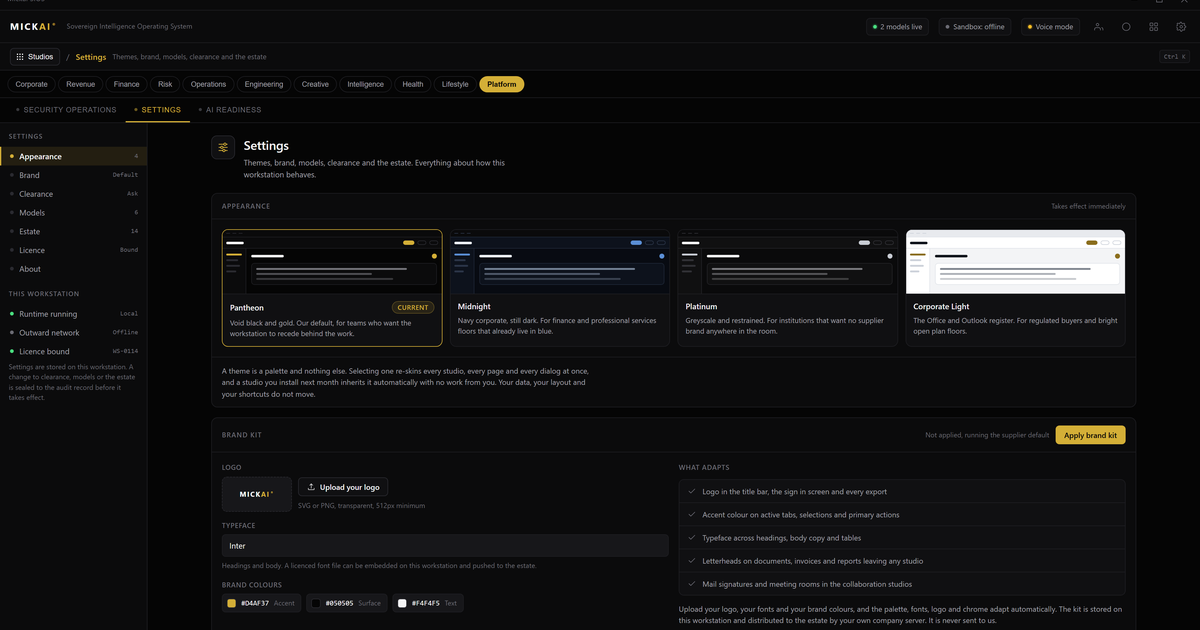
Moving off Microsoft 365 is a migration, not a switch. Email, files, meetings and identity move onto studios that run on the MICKAI sovereign operating system, on hardware you own, with one assistant across all of it. You keep the work and stop paying rent for the place it lives.
This is an honest account of what changes, what you gain, and where the effort actually sits.
What Microsoft 365 really is, and what you are paying for
Microsoft 365 is a bundle of rented services. Mail and calendar, a file store, a meetings app, chat, and the identity system that ties staff logins together. You pay per user, per month, and the price rises with the tier and the add-ons. Microsoft's published Business Standard list price is 10.30 pounds per user per month, and enterprise tiers run higher.
The bundle is convenient. It is also someone else's tenant holding your data, on terms and in locations you do not set, with a bill that recurs whether or not the value does. For a regulated small or mid-sized firm, the data location and the audit trail matter as much as the monthly cost.
A sovereign operating system inverts that. The same jobs, done by studios that sit on one operating system, sharing your own data, on machines under your own roof.
The four things that move
Migration is easier to reason about when you name the parts. Four things move off Microsoft 365, and each has a studio waiting for it.
Email and calendar. Your mail system moves onto our email studio. Addresses stay the same because the domain is yours. Mailboxes and calendars import, and staff carry on with the same folders and the same meeting invites. During the move, mail routes to both systems so nothing is missed.
Files. SharePoint and OneDrive libraries move to our files studio, one library at a time. Documents, spreadsheets and slide decks keep the formats your staff already use. Permissions map across, and version history follows the file rather than being locked to a tenant.
Meetings and chat. Teams calls and channels move to our meetings platform and our messaging studio. Rooms, recordings and the running record of a channel live on your hardware. The recording of a board meeting does not leave the building.
Identity. This is the one that moves last. Staff logins, groups and access rules cut over to our identity system once mail, files and meetings are settled. Doing identity last means people keep working throughout, and you flip the final switch only when the rest is proven.
What you gain that the bundle cannot give you
Renting the bundle gets you the features. Owning the operating system gets you four things the rented model structurally cannot.
Your data stays yours. The default posture is air-gapped. Nothing leaves the building unless you connect it on purpose. There is no external tenant, no shared control plane, no quiet data flow to a region you did not pick.
One assistant across all of it. The same assistant reads your mail, drafts against your files, takes notes in your meetings and answers questions about your own records. It works because the studios share one data layer rather than being separate apps stitched together. It runs on your hardware, against your data, and does not send anything out to be processed. For any question about what the intelligence layer does, the answer is that it serves the studios locally.
An audit trail you did not have to build. Every action across the studios writes to an action-level Open Audit Record. Who did what, when, and what the assistant did on someone's behalf. Regulated firms usually assemble this by hand. Here it is a property of the system.
The whole stack, not a model to integrate. You are not buying a component to wire into an existing estate. The email, the files, the meetings, the identity and the assistant are the same operating system. That is the difference between a private deployment of somebody else's software and owning the software itself.
The honest part: what the shift actually costs you
We are not going to pretend a migration is free of friction. Three things are genuinely different, and you should plan for them.
Muscle memory. Staff know where the Teams button is. For a few weeks they will not. The studios are close enough that this is measured in days, not months, but it is real, and it is worth a short internal briefing before cutover rather than after.
You own the hardware now. Renting means someone else patches the servers at three in the morning. Owning means that responsibility sits with you or with a partner you appoint. Our self-healing and monitoring reduce the day-to-day load, but the accountability is yours. For most regulated firms that is the trade they want, because control and accountability are the same thing.
Deliberate connectivity. Air-gapped by default means some conveniences that "just worked" because everything was in one cloud now require an explicit decision to connect. That friction is the security. It is a feature you will come to value the first time an auditor asks where your data went.
None of this is hidden cost. It is the shape of ownership. The firms that migrate do it because they have decided the rent is buying them the wrong things.
The money, worked conservatively
Here is the method, so you can run it on your own numbers rather than trust ours.
Take the tools you replace. Microsoft 365 for mail, files and Office. A collaboration and meetings subscription. A CRM. A support desk. Each has a published per-user, per-month list price. Multiply by your headcount, then by twelve, for the annual figure.
A worked example on Microsoft 365 alone. At Microsoft's published Business Standard list price of 10.30 pounds per user per month, 100 staff cost 100 times 10.30 times 12, which is 12,360 pounds a year, for one bundle. That is a conservative floor, before collaboration, CRM and support tooling, and before the higher enterprise tiers most regulated firms actually sit on. Add those and the number climbs quickly.
That annual figure is rent you stop paying. Against it you set the cost of hardware you own once and keep. We do not publish our pricing, and we will not quote a number in an article, because the honest comparison depends on your headcount and your estate. We put the owned-hardware cost against your worked rent figure in a briefing, and the arithmetic is yours to check.
Who this is for
This suits a regulated small or mid-sized firm that cares where its data sits, that has to evidence what happened, and that has decided the recurring per-seat bill is buying convenience at the cost of control. Private deployment of somebody else's cloud is the baseline. Owning the operating system, air-gapped by default, with an action-level audit record and one assistant across the whole estate, is the step beyond it.
The work is real and we are honest about it. The gain is that the work, and the data it produces, finally belongs to you.
MICKAI is built on 104 filed UK patent applications covering 2,340 claims, with 63 studios running on one sovereign operating system.
Frequently asked questions
Do we have to move everything at once?
No. Most firms run in parallel for a period. Mail routes to both systems, files sync one library at a time, and identity is cut over last once staff are comfortable. You decide the pace, not a vendor renewal date.
What happens to our existing Office files?
They open and save in the same formats your staff already use. Documents, spreadsheets and slide decks keep their extensions. Nothing is trapped in a format only we can read, which is the point of owning the stack rather than renting it.
Where does our data physically live after migration?
On hardware you own, in a location you choose. The default posture is air-gapped, so nothing leaves the building unless you connect it deliberately. There is no vendor tenant holding your data on your behalf.
Is the assistant sending our data to an external model?
No. The intelligence layer runs on your own hardware against your own data. It reads your mail, files and meetings to help staff work, and every action it takes is written to an Open Audit Record you can inspect. Nothing is sent out to be processed.
How do we prove to an auditor what happened?
Every action across the studios writes to an action-level Open Audit Record. That covers who did what, when, and what the assistant did on someone's behalf. It is the evidence trail regulated firms usually have to assemble by hand.
What do we actually save?
The recurring per-seat fees for the tools you replace. Take your current Microsoft 365, collaboration, CRM and support subscriptions, multiply the per-user list price by your headcount by twelve, and that is the annual rent you stop paying. We set the owned-hardware cost against it in a briefing.