Client booking and appointments you own
Client self-booking on a calendar you own, wired to meetings and CRM. The booking studio versus Calendly published pricing, worked.
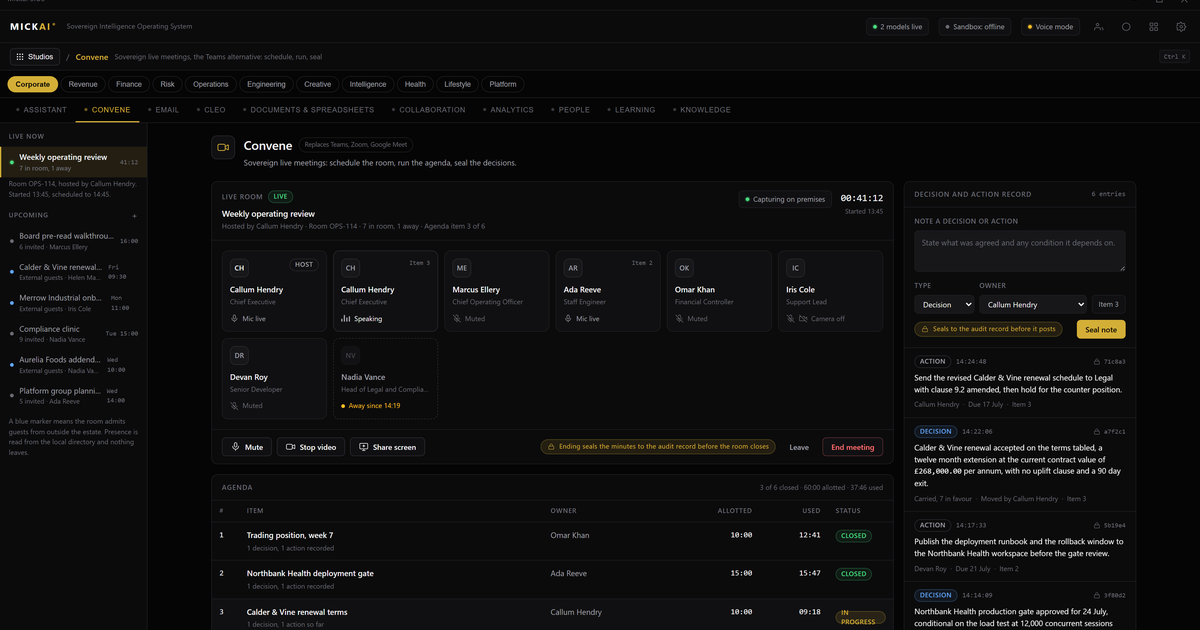
Client booking should sit on a calendar you own, not on a calendar you rent. Our booking studio lets clients self-book against your live availability, and writes every appointment straight into your own diary, your meetings platform and your CRM. It is one studio on the MICKAI sovereign operating system, not a separate app holding your client list hostage.
What the booking studio does
A client opens a link. They see the slots you actually have free, pick one and confirm. That is the whole experience for them, and it is the experience they already expect.
What happens behind that link is the point. The appointment is written to the calendar you own. Your meetings platform creates the room or the call. Your CRM records the client, the reason for the booking and the history. Your email system sends the confirmation and the reminder. None of this crosses to a vendor you cannot audit, because all of it is running on one operating system on hardware you control.
You get the parts most teams buy separately:
- Public self-booking pages, per person or per team, with your own branding.
- Round-robin and pooled availability, so enquiries land with whoever is free.
- Buffers, notice periods, daily caps and blackout dates you set once.
- Reminders, confirmations and reschedule links from your own email and messaging.
- Automatic write-through to meetings and CRM, no copy-paste, no export.
Why owning the calendar matters
Rented scheduling tools hold three things you should never hand out: your availability, your client contact details and your booking history. That is a live map of your business and your relationships, sitting on infrastructure you do not run.
When booking is a studio on your own OS, that map stays inside your walls. Availability, contacts, notes and the full history of who booked what and when are your records, on your hardware. If a client asks you to delete their data, you delete it, in one place, and you can show that you did.
Every booking action is written to an action-level Open Audit Record. Not a login log, the action itself: who moved a slot, who cancelled, who exported a list. For a regulated small or mid-sized firm, that record is the difference between believing your process held and being able to prove it.
Booking also runs air-gapped by default. Your reception desk can open the diary, take a phone booking and manage the day with no outside connection. Public self-booking uses whatever gateway you choose to expose, and nothing more.
The cost of renting scheduling, worked
Dedicated scheduling tools are sold per user per month, and the headline price is only part of it. Take Calendly as a public reference point. Its Teams plan is listed at 16 US dollars per seat per month billed annually, a reported public list price. The Standard plan is listed at 10 US dollars per seat per month on the same terms.
Work it through for a firm of 40 client-facing staff on the Teams plan. The method is users times price times twelve.
- 40 users times 16 dollars times 12 months is 7,680 dollars a year.
- On the Standard plan at 10 dollars, 40 users times 10 times 12 is 4,800 dollars a year.
That is one function, scheduling, for one team of 40. It buys you a booking page and a rented calendar link. It does not buy the meetings platform behind it, the CRM the bookings should feed, or the email that sends the reminders. Those are separate line items, from separate vendors, each holding a slice of the same client relationship, each priced per seat per month.
If you cannot confirm the current list price, do not guess. The method holds regardless: count the client-facing seats, take the vendor's published per-seat monthly price, multiply by twelve, and then add the same again for each adjacent tool the booking flow depends on. The number climbs because you are paying rent on data that was always yours.
We do not publish a MICKAI price here. The point is the shape of what you are buying. With the booking studio you are not renting a per-seat link to your own diary. You own the studio, the calendar, the meetings platform and the CRM it connects to, on hardware you own, and adding the forty-first person does not add another annual subscription line.
One OS, not a stack of subscriptions
The reason booking, meetings and CRM stay in step is that they are not separate products stitched together with connectors. They are studios on one operating system, reading and writing the same company data.
That removes the failure most firms live with. In a rented stack the booking tool has one copy of the client, the CRM has another, the calendar has a third, and they drift. Someone reschedules in one place and the others go stale. On a single OS there is one client record and one diary. A booking is not synced between systems because there are not several systems to sync.
It also removes the integration tax. You are not paying three vendors and a fourth to glue them, and you are not exposed when any one of them changes an API, raises a price or has an outage. The whole stack is software you run, not a model or a service you rent and hope stays put.
One assistant across the diary
The same assistant that works across your email, meetings and CRM works across the diary. It reads and writes the calendar you own.
Ask it to hold three slots for a returning client and email them the options. Ask it to clear Thursday morning and rebook everyone affected. Ask it which enquiries have not been followed up since booking. Because it operates across the connected studios on one OS, it acts on the booking, the meeting and the CRM record together, not on a lonely calendar that knows nothing about the client.
The assistant describes what it is about to do, does it against your data on your hardware, and every step lands in the same audit record as any human action. There is no separate scheduling bot with its own login and its own copy of your contacts.
Built for the regulated small and mid-sized firm
A clinic, a law practice, an advisory firm, a surveyor, a broker. These are the firms that carry real duties over client data and get sold the least control over it. Renting a scheduling link means your appointment book, the times, the names, the reasons, lives with a vendor, and your only proof of good handling is their word.
The booking studio inverts that. Self-booking clients get the smooth experience they expect. You get a diary on your own hardware, an audit record of every action, air-gapped operation by default, and one assistant across booking, meetings and CRM. It is one of 63 studios on the MICKAI sovereign operating system, and it shares its data with the rest rather than fencing it off.
Our patent position sits behind the platform: 104 filed UK patent applications covering 2,340 claims, filed, not granted. We hold no certifications and claim none. What we offer is plain. Own your calendar, own the bookings written to it, and run the whole thing yourself.
The short version
Client booking is not a link you should rent. It is a diary you should own, connected to the meetings and CRM that make an appointment mean something. Put it on one operating system, on your own hardware, with one assistant across all of it, and the per-seat annual bill for a rented calendar stops being a cost you carry.
Frequently asked questions
Do clients need an account to book?
No. They open a link, pick a slot against your live availability and confirm. The booking is written straight into the calendar you own, and your meetings platform and CRM update in the same motion.
Where does the booking data live?
On hardware you own. Availability, contact details, notes and history stay inside your sovereign operating system. Nothing is copied to a third party you cannot see.
Can we still take payment or send reminders?
Yes. Reminders, confirmations, reschedule links and follow-ups run from your own email and messaging systems on the same OS. There is no separate vendor holding your client list.
How is this different from a private Calendly deployment?
Private deployment of a scheduling tool is the baseline. Our value is beyond it: the booking studio is one studio among many on a single OS, sharing your data, with an action-level Open Audit Record and air-gapped operation by default.
What happens if the internet drops?
Booking runs on your hardware. Staff can view and manage the diary on the local network with no outside connection. Public self-booking resumes when your chosen gateway is reachable.
Does one assistant cover booking too?
Yes. The same assistant that works across email, meetings and CRM reads and writes the diary. Ask it to hold a slot, rebook a client or clear a morning, and it acts across the connected studios.